Prediction Outcomes
How correct and incorrect predictions are determined
Overview
Every prediction on Frenzy.Finance targets a specific price range within a specific time interval. The outcome is determined by a single data point: the first price tick from the consolidated market feed that falls within that interval. There's no averaging, no closing price — just the first tick.
How the First Tick Works
The trading grid is divided into a matrix of cells. Each column represents a 5-second time interval (e.g., 12:01:05 – 12:01:10), and each row represents a price bucket (a specific price range).
When a time interval starts, the system watches the consolidated, trusted price feed. The first tick that arrives within that interval immediately determines the settlement price. The price bucket that contains this tick is the correct bucket — decided right when the tick arrives, not at the end of the interval.

In the image above, the price line enters a specific cell — that's the first tick landing in a bucket, making it the correct outcome for that interval.
One Outcome Per Interval
The settlement price can only fall into a single price range, so exactly one bucket is correct per time interval. Every other bucket in that column is incorrect.
- Correct: Your trade amount is multiplied by the cell's displayed multiplier. Credits are minted directly to your session wallet.
- Incorrect: Your trade amount is burned from circulation.

The multiplier on each cell reflects the probability — cells closer to the current price have lower multipliers (more likely to be correct), while cells further away have higher multipliers (less likely, but bigger return).
Placing Multiple Predictions
You can place multiple predictions at once by holding Shift and dragging across the grid.
- Cover more buckets in one interval — increases your chance of a correct prediction, but each cell has its own trade amount
- Spread across intervals — each column is an independent prediction resolved separately
- Mix both — drag across rows and columns to create a grid of predictions

After clicking, each cell goes through a confirmation flow:
- Yellow — the prediction is pending while the backend verifies your balance, calculates the odds, and exchanges signatures.
- Purple — the prediction is confirmed and locked in, waiting for the interval to resolve.
- Red flash — something went wrong (insufficient balance, slippage exceeded, etc.) and the prediction was rejected.
Each prediction resolves independently. You can get some correct and others incorrect within the same batch.
Edge Cases
No tick in the interval
If no price tick arrives during a 5-second window — for example, during a brief feed interruption — all predictions targeting that interval are cancelled and fully refunded. Your balance is restored automatically. The interval is not extended or retried.
Tick on a bucket boundary
Each price bucket is a half-open interval: the lower bound is inclusive and the upper bound is exclusive. In other words, a bucket covers prices where price >= lower and price < upper. If the settlement price lands exactly on the boundary between two buckets, it belongs to the upper bucket (the one whose lower bound matches the price).
Multiple ticks in quick succession
Only the first tick within the interval matters. If several ticks arrive in rapid succession, the first one determines the outcome and all subsequent ticks are ignored for that interval's settlement.
Quote changes between clicking and confirmation
The multipliers shown on the grid are optimistic estimates from the frontend. When you click a cell, the backend recalculates the real multiplier based on current market conditions. Slippage tolerance applies asymmetrically:
- If the quote got worse for you beyond your slippage tolerance, the prediction is rejected (cell flashes red).
- If the quote got better for you, the prediction is always accepted — you get the improved odds.
You can adjust your slippage tolerance in the settings menu (default is 20%).
Stale predictions
As a safety net, if a prediction isn't resolved within 30 seconds of its target interval, it's automatically cancelled and your balance is refunded.
Tip: Use the Step Chart
When reviewing outcomes, the step chart mode makes it easier to see exactly which tick determined the result. Each tick appears as a discrete point rather than being smoothed into a continuous line, so you can pinpoint the exact moment a bucket was hit.
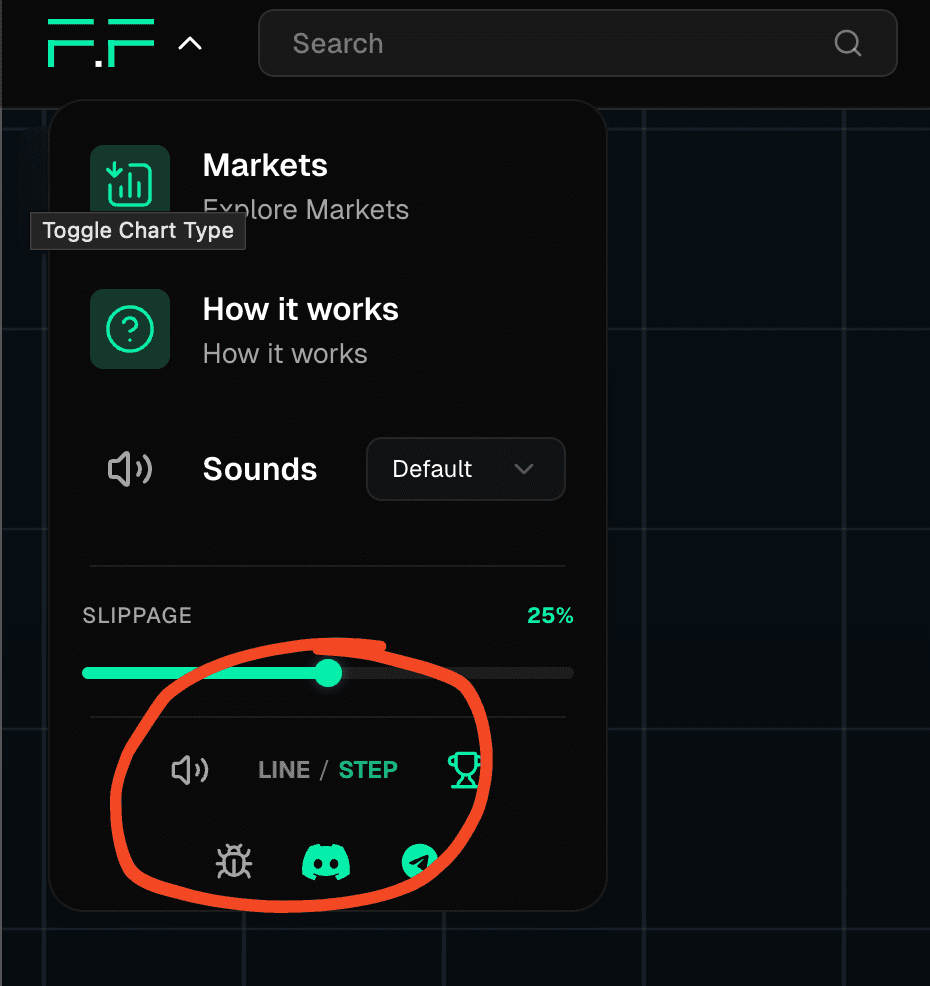
Toggle chart modes in the settings menu (click the logo dropdown on desktop, or the hamburger menu on mobile).