Overview
How Frenzy.Finance works
What is Frenzy.Finance?
Frenzy.Finance is a real-time prediction protocol where you trade on short-duration price movements. Each prediction resolves in seconds — you pick a price range, make your prediction, and find out instantly if you were right.
Every prediction is settled on-chain through the FrenzyFinance smart contract. All funds are denominated in USDC via the FrenzyDollar escrow — no counterparty, transparent settlement.
How It Works
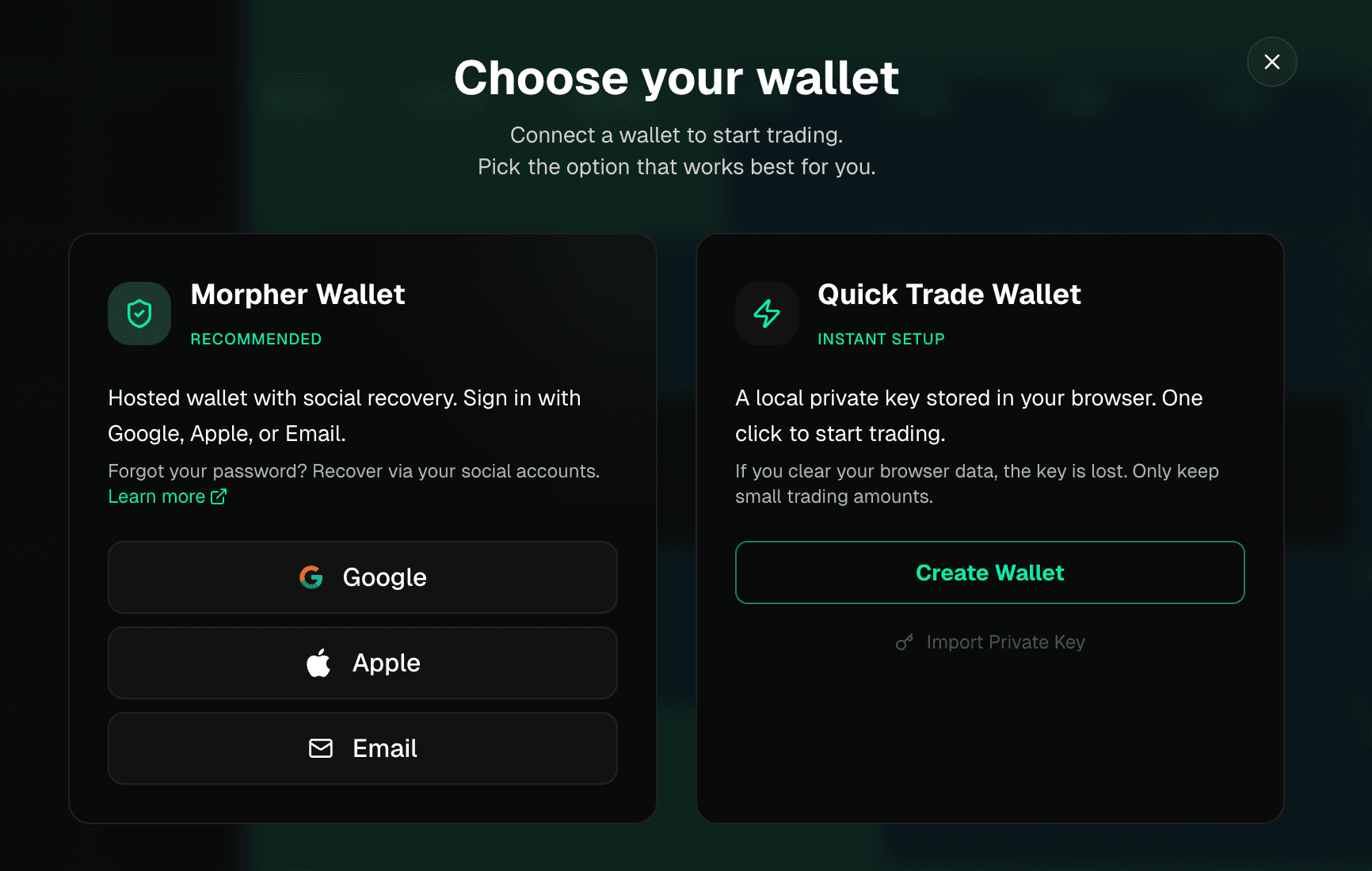
- Choose your trading wallet — Pick how you want to sign trades. Use the Morpher Wallet for social login and cloud-based recovery, or use a Quick Trade Wallet that generates an instant key in your browser — no extensions, no popups.
- Fund your wallet — Connect an external wallet (MetaMask, Coinbase Wallet, etc.) to deposit USDC into your trading wallet. On testnet, you can grab free test USDC from the faucet instead.
- Pick a market — Choose from crypto, stocks, indices, and commodities.
- Make a prediction — Click a cell on the trading grid to predict that price range. Your trading wallet signs instantly — no confirmation dialogs.
- See the result — If the price lands in your bucket, credits are minted to your wallet. If not, your trade amount is burned.
Key Concepts
The Trading Grid
The grid shows price buckets (rows) over time intervals (columns). Each cell represents a possible outcome — a specific price range during a specific 5-second window.
Single prediction: Click any cell to predict that price range.
Batch predictions: Hold Shift and drag across multiple cells to place several predictions at once. This lets you cover a wider price range or spread predictions across multiple time intervals in one gesture.
Correct & Incorrect Predictions
Each column on the grid is a 5-second time interval. When the interval starts, the first price tick from the consolidated market feed that falls within it determines the winning bucket. The cell where that tick lands is correct — every other cell in that column is incorrect.
Only one cell can be correct per interval. Your return equals your trade amount multiplied by the cell's displayed multiplier.
Learn more about edge cases and how outcomes are determined in the Prediction Outcomes page.
Chart Modes
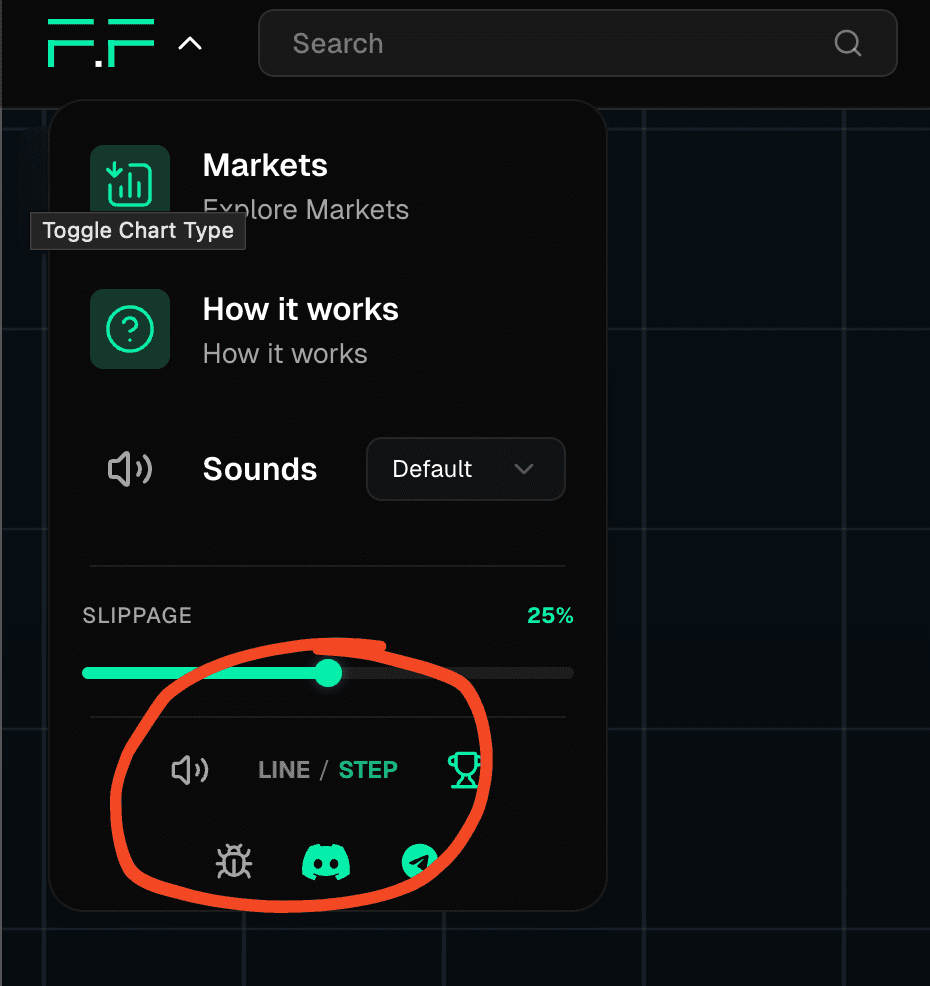
You can switch between two chart styles in the settings menu:
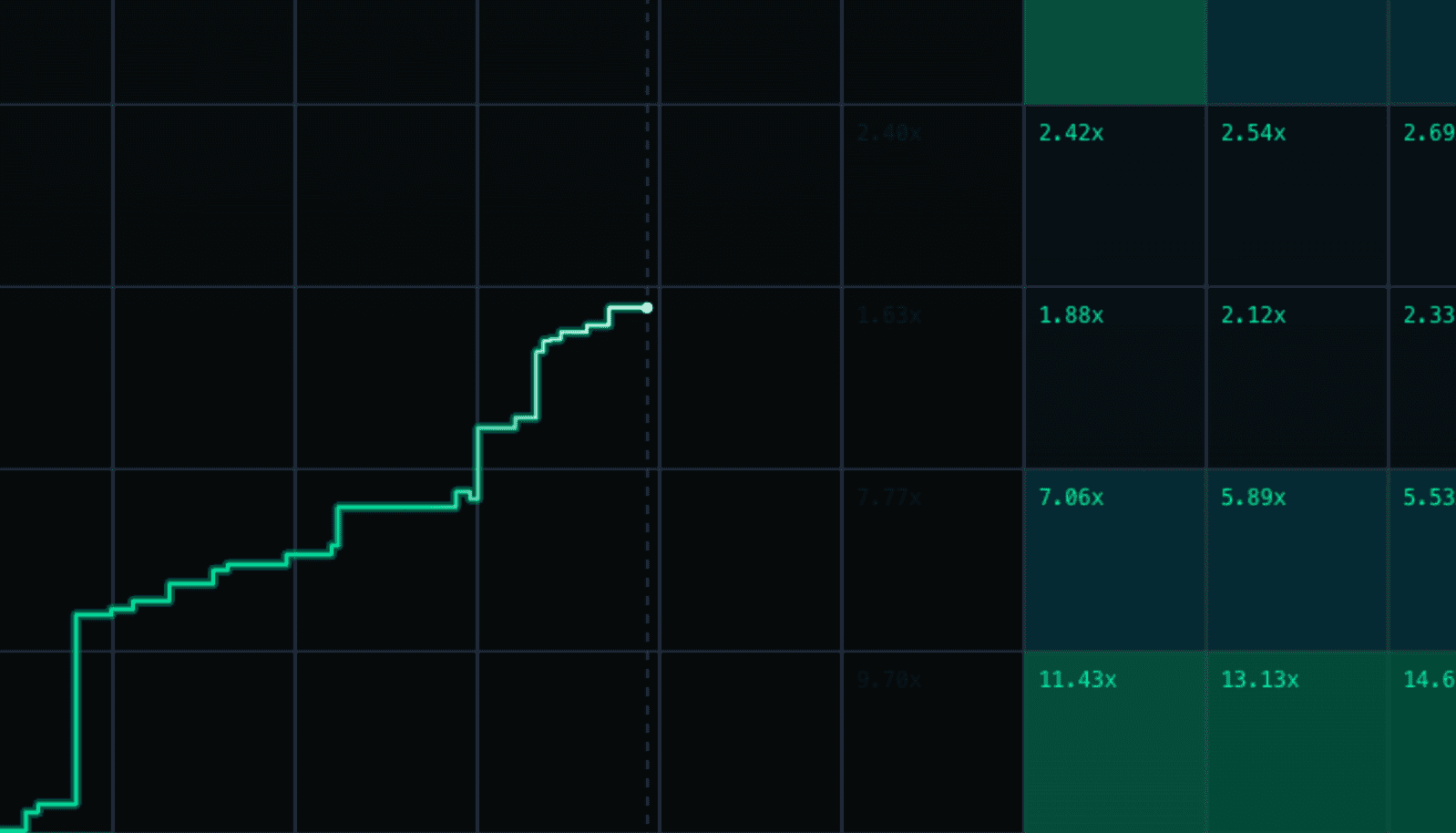
Line chart — a smooth interpolated line between price ticks, easier to read trends at a glance.
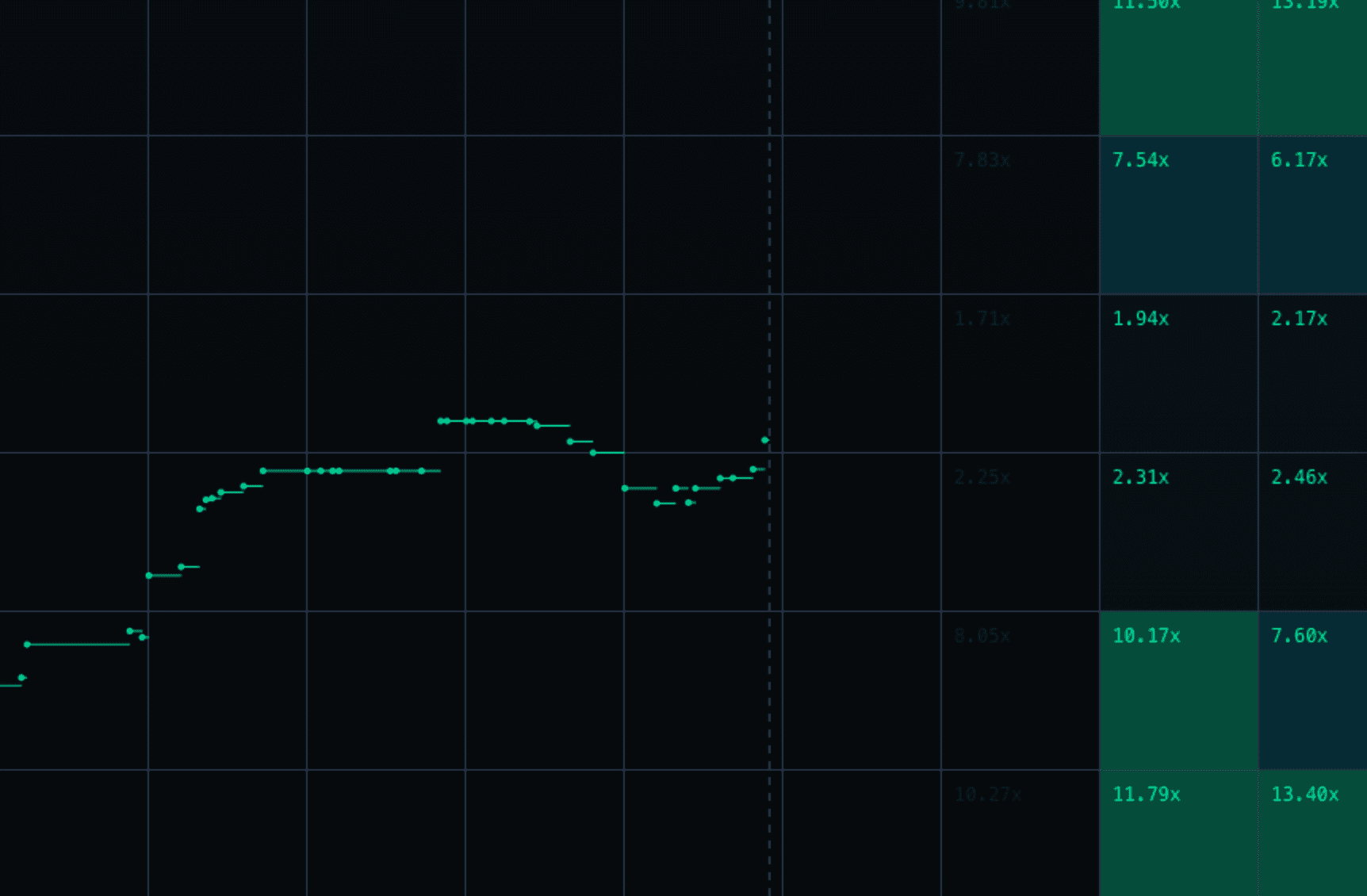
Step chart — shows each individual tick as a discrete point, giving a more precise view of price movements.
Toggle between them via the settings menu:
Trade Size
Choose from quick-select presets based on your balance (2%, 5%, 10%, or MAX), or set a custom amount via the pencil icon. Your trade size persists across sessions.
Slippage
Slippage controls how much price movement you'll tolerate between placing and confirming a prediction. Default is 20%. Adjust this in the settings menu (click the logo dropdown on desktop, or the hamburger menu on mobile).
Trading Wallet
Your trading wallet is what signs every trade — automatically, with no popups or gas fees. You choose one when you first visit:
- Morpher Wallet — Sign in with Google, Apple, or email. Your keys are managed by the Morpher Wallet service (morpher.com/wallet) with built-in social recovery. Recommended if you want a familiar login experience.
- Quick Trade Wallet — A private key is generated and stored in your browser's local storage. No account needed — you can start trading in one click. If you clear your browser data, the key is lost (withdraw your funds first).
Your trading wallet is separate from your funding wallet. To add funds, you connect an external wallet (like MetaMask) and deposit USDC. On the Base Sepolia testnet, you can use the built-in faucet to get free test USDC.
On-Chain Settlement
All predictions are settled on the blockchain through the FrenzyFinance smart contract. Correct predictions trigger a credit mint on FrenzyDollar, and incorrect predictions trigger a burn. Every credit is backed 1:1 by USDC held in escrow, plus an overcollateral surplus.
Learn more in the Settlement and Smart Contracts pages.
Music
Music by Eric Matyas